















Organic Search
Platforms
Overview
Driven by Results
We have a achieved outstanding growth for brands in various industries
+3.1B
Total Organic Sessions
+1.9B
Total Organic Clicks
+1.24B
Total Organic User Acquisiton
Content & Outreach
Design & Develop
Industries & Platform
Schemas and Calculators
Plans
USP
Why Choose Us?


Winners
Great Place to Work
For two consecutive years, we are awarded by this honour

By Service
Results
Our Proven Results


Sutsnax is a solutions partner for automotive manufacturers and related industries, specializing in aesthetic and functional accessories, branding, and advanced technologies. The company works closely with OEM teams to design, engineer, and deliver components such as body kits, trims, decals, and other visual enhancements that elevate both brand presence and customer appeal.
Sutsnax wanted to transform the way OEM stakeholders evaluate and select accessory packages.
The goal was to build a web-based 3D product configurator that would:
Before the configurator, the Sutsnax team and their OEM customers faced several friction points:
Sutsnax needed a single, interactive, browser-native experience that could centralize product visualization and bring configuration into the hands of the OEM decision-makers.
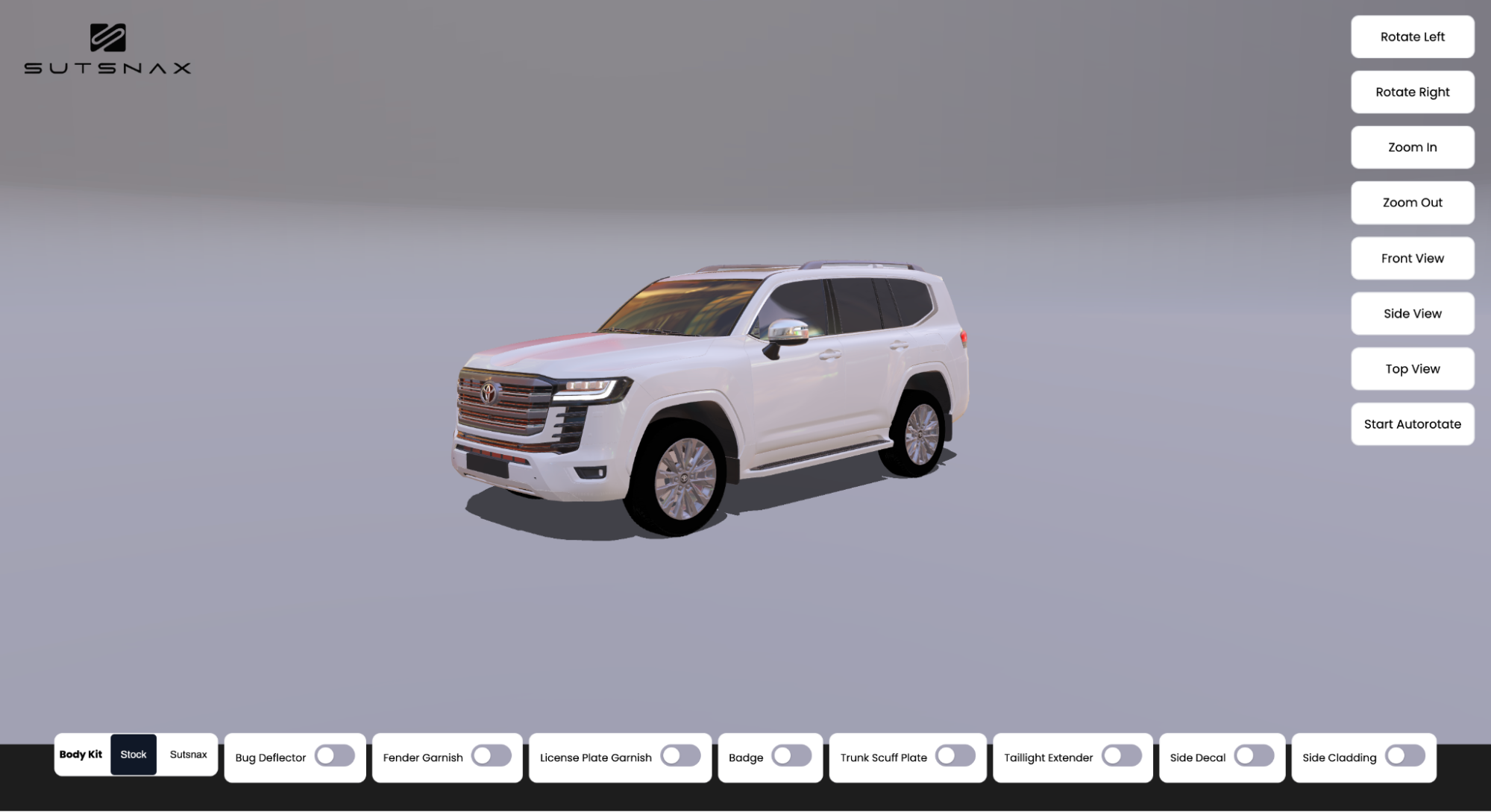
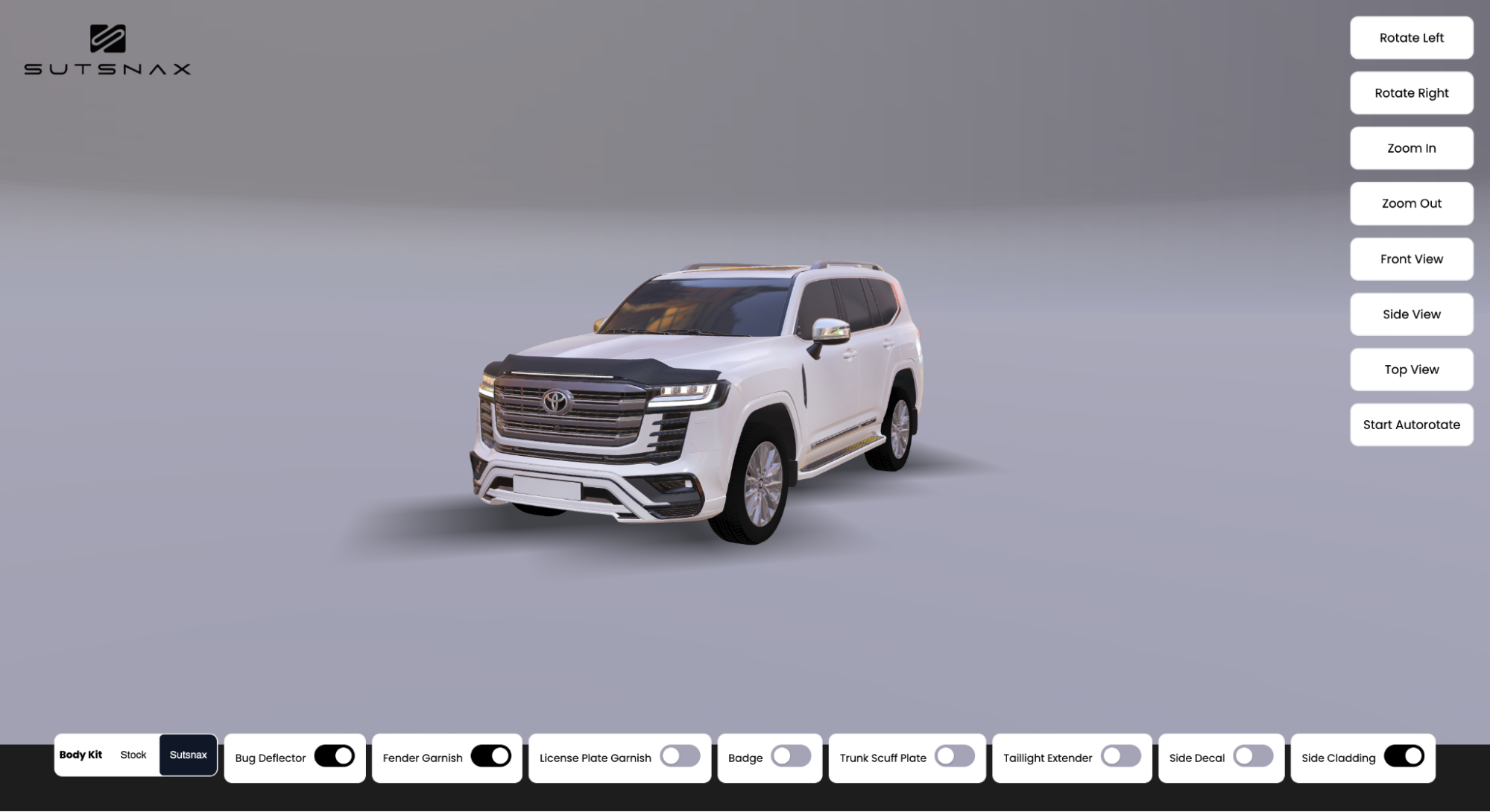
Sutsnax developed a 3D Product Configurator that brings vehicles and accessories to life in the browser using Babylon.js and Three.js as the core 3D technologies.
3D Engine & Rendering
GLB (binary glTF) files are used as the primary 3D asset format. This ensures compact file sizes, fast loading times, and consistent rendering across browsers while supporting complex materials and hierarchies required for vehicle parts and accessories.
Frontend Application
Material Realism & Visual Quality
Architecture & Content Management
Client Testimonial
Global Brands
Awards & Recognition
Success Stories
Beauty & Fitness
Health
Our Solutions
How useful was this post?
0 / 5. 0
| Cookie | Duration | Description |
|---|---|---|
| cookielawinfo-checkbox-analytics | 11 months | This cookie is set by GDPR Cookie Consent plugin. The cookie is used to store the user consent for the cookies in the category "Analytics". |
| cookielawinfo-checkbox-functional | 11 months | The cookie is set by GDPR cookie consent to record the user consent for the cookies in the category "Functional". |
| cookielawinfo-checkbox-necessary | 11 months | This cookie is set by GDPR Cookie Consent plugin. The cookies is used to store the user consent for the cookies in the category "Necessary". |
| cookielawinfo-checkbox-others | 11 months | This cookie is set by GDPR Cookie Consent plugin. The cookie is used to store the user consent for the cookies in the category "Other. |
| cookielawinfo-checkbox-performance | 11 months | This cookie is set by GDPR Cookie Consent plugin. The cookie is used to store the user consent for the cookies in the category "Performance". |
| viewed_cookie_policy | 11 months | The cookie is set by the GDPR Cookie Consent plugin and is used to store whether or not user has consented to the use of cookies. It does not store any personal data. |