











Google has begun rolling out a new feature in its search results: “Read more” links that appear at the end of search result snippets. After several months of testing, this feature is now live across many search results on desktop, marking a concrete change in how users interact with organic search listings.
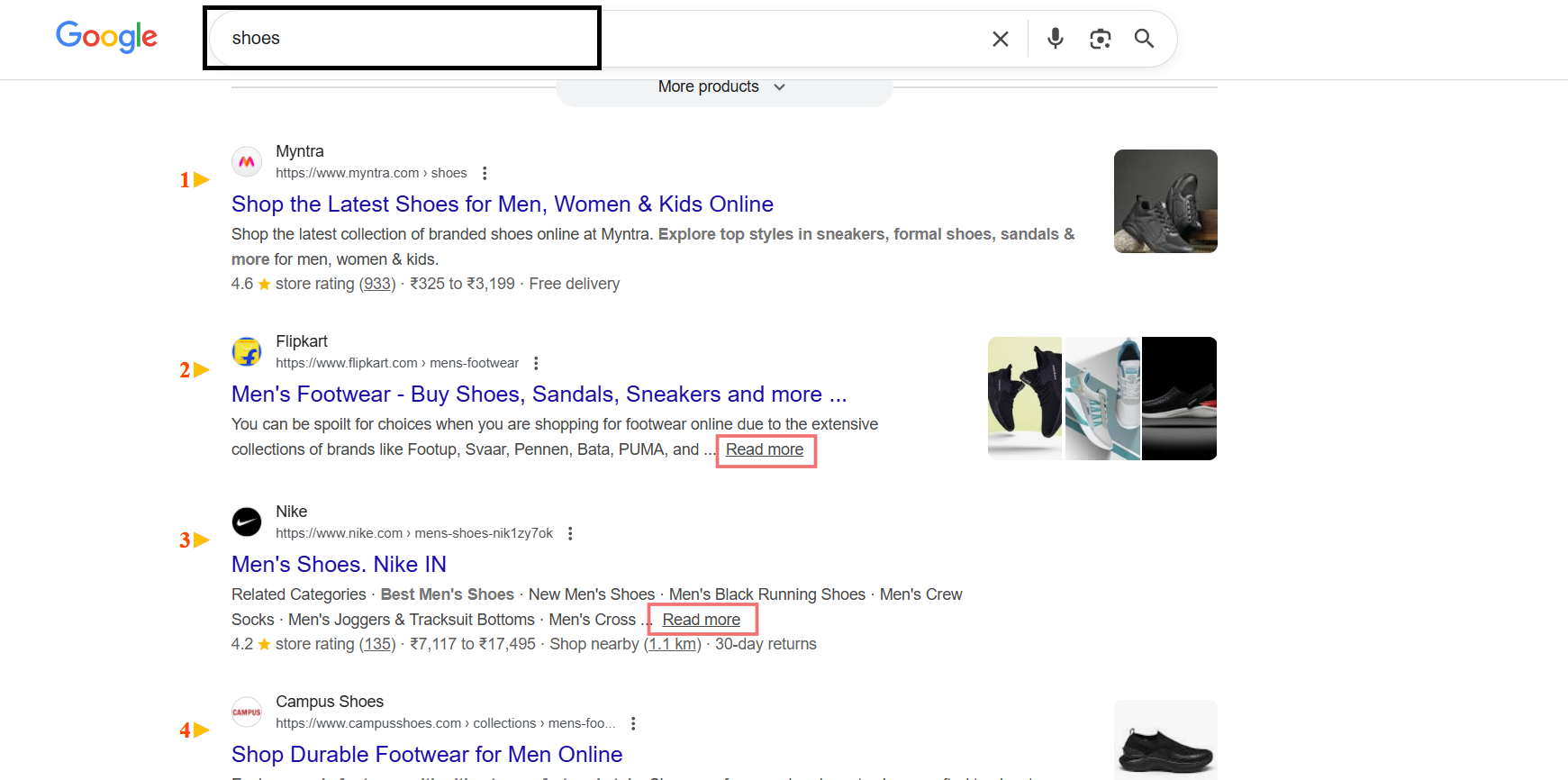
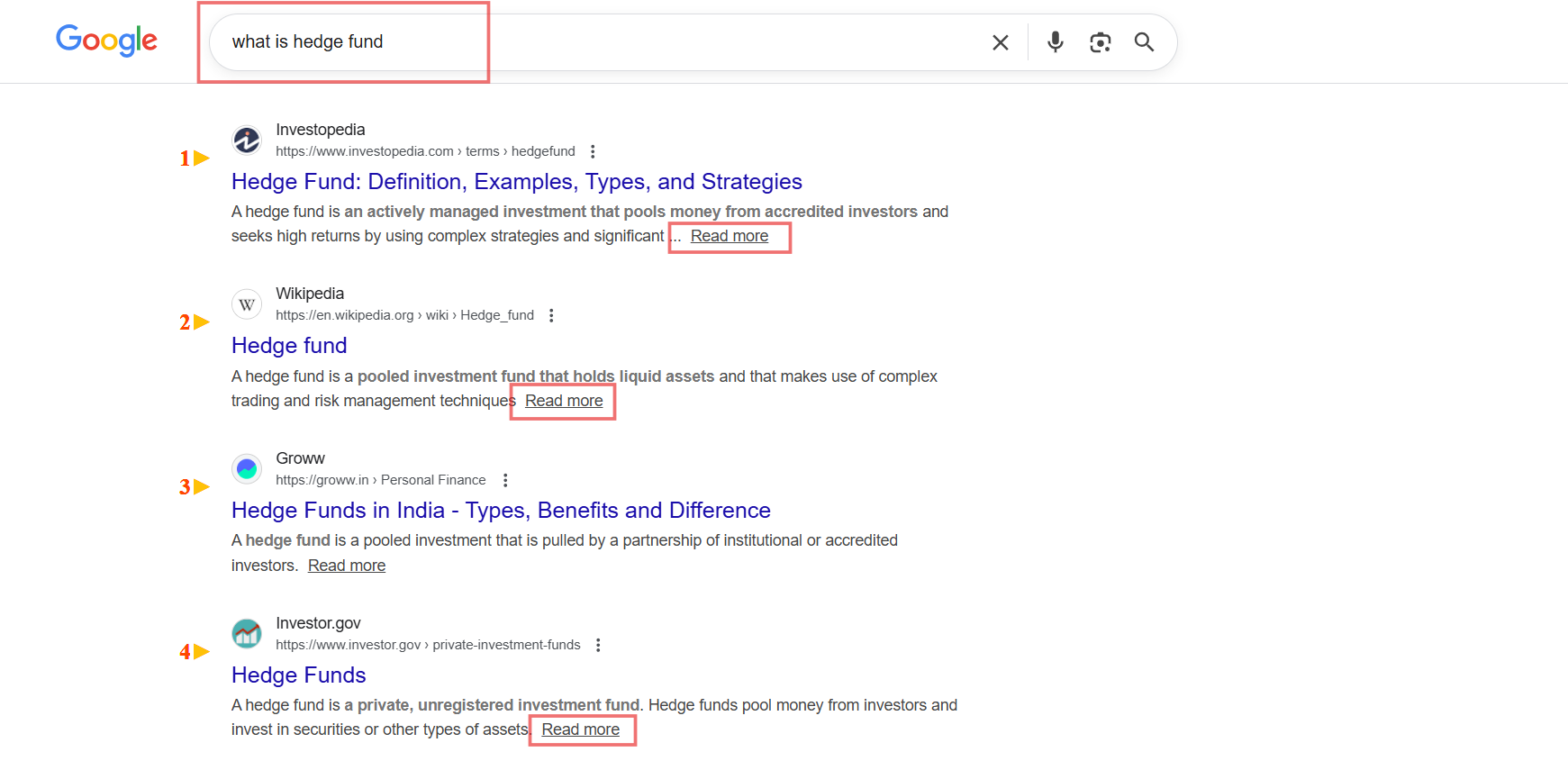

This feature fundamentally changes how users navigate from search results to your content.
The Basics of the “Read More” Feature
What It Does
When you click on the “Read more” link in a search result snippet, Google anchors you down to a specific portion of the page you’re visiting. Rather than landing at the top of the page, you jump directly to a section that Google has determined is relevant to your search query.
Testing Timeline
Google began testing variations of the “Read more” feature back in July 2025. After several months of testing, the feature has now been rolled out globally. On December 16, 2025, multiple SEO professionals and industry observers reported seeing the feature live across many search results.
Rollout Status
The feature is not showing on all search result snippets, it appears on many, but selectively. This indicates Google is deploying it strategically based on relevance and query type.
Desktop-Only Launch
The version of the feature that Google has launched appears only on desktop snippets, not on mobile. Mobile users continue to experience traditional search result links without the “Read more” option.
How the Feature Works
Link Placement
The “Read more” link appears at the end of the meta description in search result listings. It’s integrated directly into the snippet display, making it visible to users as they browse search results.
Anchor Behavior
When users click “Read more,” Google anchors them to a portion of the page, not the top. This means:
- Users don’t land on your homepage or page introduction
- They land on the section Google identified as most relevant to their query
- The page scrolls or jumps to that specific section
What This Means for Website Owners
Users Bypass Your Page Top
Your hero section, introductory content, and above-the-fold design no longer guarantee the first user impression. Google now controls where in your content users land.
Content Sections Become Entry Points
Each section of your page, marked by headings and structure, can now become an independent landing point. Users might enter your article mid-section, requiring that content to stand alone contextually.
Recent SERP Changes
AI Overviews
AI-generated summaries shown at the top of Google results for many informational searches. They provide a direct answer by summarizing content from multiple websites before showing regular links.
Inline Source Links in AI Overviews
Links to websites are embedded directly within the AI-generated text instead of being listed separately, allowing users to click specific references.
“Read More” / “Show More” in Search Results
Search snippets and AI summaries can be expanded within the SERP itself, letting users read more content without visiting the website.
Conversational Follow-Up Prompts
Google shows follow-up questions or prompts (such as “Ask a follow-up”) inside the results, encouraging users to continue searching instead of clicking a result.
Breadcrumb URLs Removed on Mobile
On mobile search results, Google no longer shows breadcrumb-style page paths. Only the main domain name is displayed under the title.
Reduced Visual Enhancements for Some Structured Data
Certain structured data types no longer produce special visual treatments in search results, even though the pages can still rank normally.
Clickable Entities Inside Snippets
Some bolded terms or entities in search snippets are clickable and open a new Google search instead of the webpage.
Sticky Search Bar on Mobile
The search bar stays visible while scrolling on mobile, making it easier for users to refine or change their query.
Key Takeaway
Google’s “Read more” feature is a concrete, live change in how search results function. The feature is already rolling out on desktop search results. Website owners should begin auditing their content structure and ensuring that individual sections can serve as effective landing points for users who click “Read more” links.