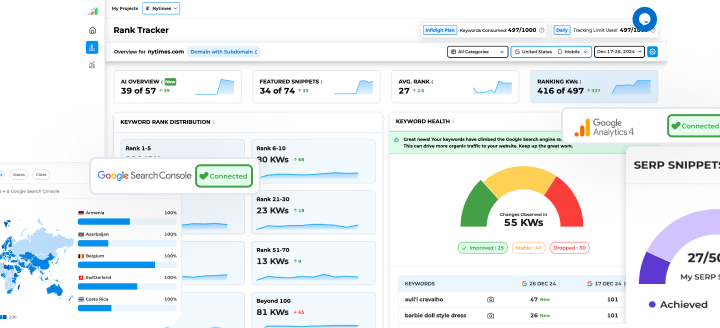













When it comes to tracking website performance, Google Search Console (GSC) and Google Analytics (GA) are two of the most powerful free tools available. While both are owned by Google and often used together, they serve very different purposes.
If you’ve ever wondered which tool does what or why you need both, this guide will clearly explain the key differences between Google Search Console and Google Analytics—in simple, practical terms.
What is Google Search Console?
Google Search Console is a tool that helps you monitor and optimize your website’s presence in Google Search results.
It focuses on how Google sees your site, including:
- Search performance
- Indexing status
- Technical SEO issues
- Website visibility in organic search
In short, GSC answers the question:
“How is my website performing on Google Search?”
What is Google Analytics?
Google Analytics tracks and analyzes user behavior after visitors land on your website.
It helps you understand:
- Who your visitors are
- How they interact with your site
- Which pages perform best
- Conversions, goals, and revenue
In short, GA answers the question:
“What are users doing on my website?”
Google Search Console vs Google Analytics: Core Differences
| Feature | Google Search Console | Google Analytics |
| Main Focus | Search visibility | User behavior |
| Data Source | Google Search results | Website visitors |
| Tracks Keywords | Yes (organic only) | Limited (mostly hidden) |
| Indexing issues | Yes | No |
| User Engagement | No | Yes |
| Conversions | No | Yes |
| SEO Insights | Strong | Moderate |
| Traffic Sources | Google Search only | All channels |
Key Differences Explained in Detail
- Purpose and Functionality
- Google Search Console focuses on SEO and technical performance
- Google Analytics focuses on traffic analysis and user engagement
They are not competitors—they are complementary tools.
- Traffic Data
Google Search Console
- Shows clicks, impressions, CTR, and average position
- Data limited to Google organic search
Google Analytics
- Tracks traffic from:
- Organic search
- Paid ads
- Social media
- Direct visits
- Provides session-level insights
- Keyword Tracking
- GSC shows the exact search queries users typed into Google
- GA does not show most organic keywords due to privacy reasons
For SEO keyword insights, Search Console is essential.
- Technical SEO Monitoring
Google Search Console helps identify:
- Indexing errors
- Crawl issues
- Mobile usability problems
- Core Web Vitals
- Manual penalties
- Sitemap issues
Google Analytics does not provide technical SEO diagnostics.
- User Behavior Insights
Google Analytics tracks:
- Page views
- Bounce rate
- Engagement time
- User paths
- Events and conversions
Search Console does not track on-site behavior.
- Conversion and Goal Tracking
- Google Analytics allows you to track:
- Purchases
- Form submissions
- Button clicks
- Custom events
- Search Console does not track conversions
If business growth is your goal, Analytics is crucial.
When Should You Use Google Search Console?
Use Google Search Console if you want to:
- Improve SEO rankings
- Fix indexing and crawl errors
- Discover keyword opportunities
- Monitor website health in Google Search
- Submit sitemaps
When Should You Use Google Analytics?
Use Google Analytics if you want to:
- Understand visitor behavior
- Measure content performance
- Track conversions and goals
- Analyze traffic sources
- Improve user experience
Why You Should Use Both Together
Using Google Search Console and Google Analytics together gives you a complete picture:
- GSC tells you how users find your site
- GA tells you what users do after arriving
Example:
- GSC shows a page ranking high but with low CTR
- GA shows users leaving that page quickly
- Together, you can improve title tags, content, and UX
Google Search Console vs Google Analytics: Which is Better?
There is no “better” tool—they serve different purposes.
- For SEO and search performance → Google Search Console
- For traffic analysis and conversions → Google Analytics
- For maximum insights → Use both
Final Thoughts
Understanding the difference between Google Search Console and Google Analytics is essential for anyone managing a website. While Search Console helps you optimize visibility on Google, Analytics helps you improve user experience and business performance.
When used together, they provide powerful insights that can significantly boost your website’s growth and SEO success.
Frequently Asked Questions (FAQs)
What is the main difference between Google Search Console and Google Analytics?
Google Search Console focuses on search performance and website indexing, while Google Analytics tracks user behavior and traffic on your website.
Which tool shows how my website appears in Google search results?
Google Search Console shows search impressions, clicks, average position, and which keywords your site ranks for.
Which tool helps analyze user behavior on my website?
Google Analytics helps track user activity such as page views, session duration, bounce rate, conversions, and traffic sources.
Can I use both tools together?
Yes! Using both tools together gives a complete SEO + user behavior picture. You can connect them to gain deeper insights into traffic and conversions.
Which tool is better for SEO vs marketing?
SEO: Google Search Console
Marketing & conversions: Google Analytics
Both are essential for a complete website performance strategy.